 Browser Image Converter • browserimgconverter.com
Zana zote muhimu za picha mahali pamoja.
Bure, haraka na 100% ya faragha. Picha zako hazitoki kwenye kifaa chako kamwe.
Njia Zangu za Mkato
Imehifadhiwa kwenye kifaa hiki.
Zana Maarufu
Tazama Zana ZoteBana Picha
Punguza ukubwa wa faili za JPG, PNG & WebP huku ukihifadhi ubora wa juu
Badilisha Ukubwa wa Picha
Badilisha ukubwa kwa pikseli au asilimia kwa vipimo vyovyote
Kigeuzi cha Picha cha Jumla
Badilisha umbizo lolote la picha kuwa lingine papo hapo
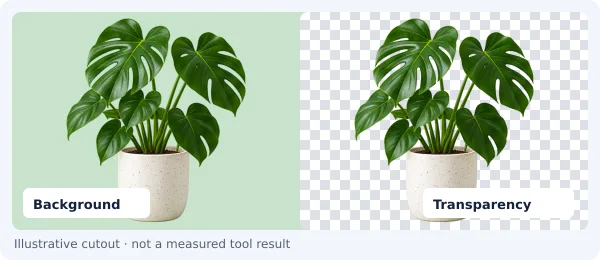
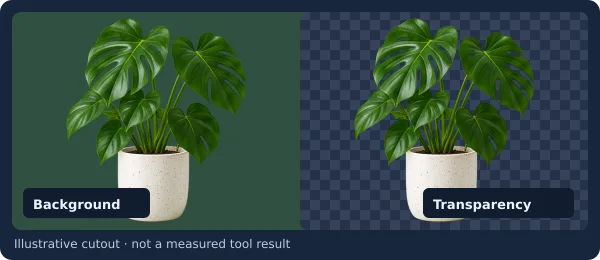
Ondoa Mandharinyuma
Ondoa mandharinyuma kiotomatiki - pata PNG angavu mara moja
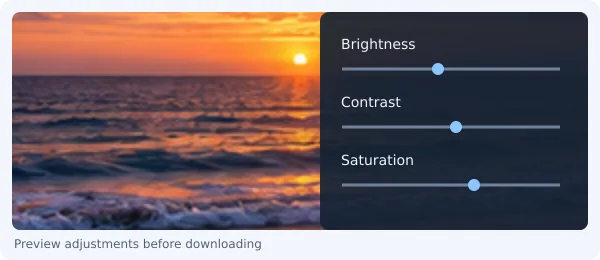
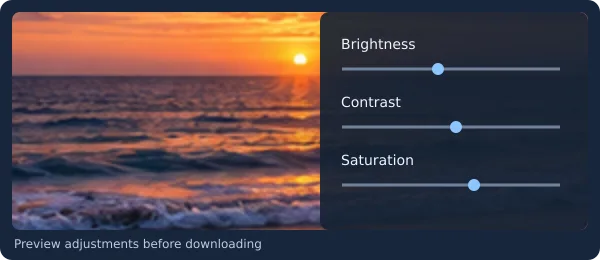
Kihariri cha Picha
Rekebisha mwangaza, utofautishaji, uenezaji na tani za rangi kwa urahisi
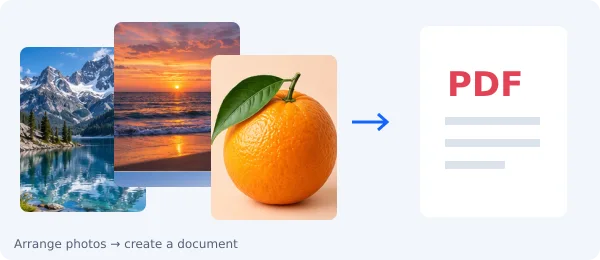
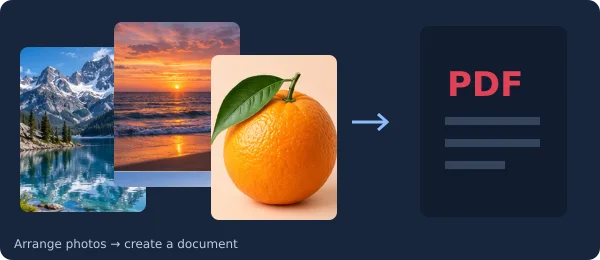
Picha kuwa PDF
Unganisha picha nyingi kuwa hati moja ya kitaalamu ya PDF
Anza na jukumu
Chagua lengo lako na uende moja kwa moja kwenye mtiririko unaofaa
Picha za mitandao ya kijamii
WaundajiPunguza na ubadilishe ukubwa kwa Instagram, TikTok, YouTube na mitandao.


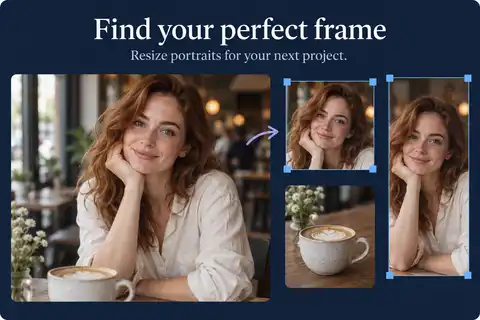
Picha za Pasipoti na Vitambulisho
MuundoWeka fremu na ubadilishe ukubwa wa picha zenye vipimo na uwiano kamili.

Mkusanyiko wa Picha (Collage)
KolagiChanganya picha kadhaa kuwa miundo mizuri ya gridi na hadithi.


Vipengele vya Tovuti
UboreshajiBana na uboreshe picha ili tovuti yako ipakie kwa kasi ya juu.
Orodha Kamili ya Zana
Bana Picha
Punguza ukubwa wa faili za JPG, PNG & WebP huku ukihifadhi ubora wa juu
Badilisha Ukubwa wa Picha
Badilisha ukubwa kwa pikseli au asilimia kwa vipimo vyovyote
Kigeuzi cha Picha cha Jumla
Badilisha umbizo lolote la picha kuwa lingine papo hapo
Ondoa Mandharinyuma
Ondoa mandharinyuma kiotomatiki - pata PNG angavu mara moja
Kihariri cha Picha
Rekebisha mwangaza, utofautishaji, uenezaji na tani za rangi kwa urahisi
Picha kuwa PDF
Unganisha picha nyingi kuwa hati moja ya kitaalamu ya PDF
Punguza Picha (Crop)
Punguza JPG, PNG au GIF kwa uwiano unaotaka wa upana na urefu
Ongeza Azimio la Picha
Kuza picha 2x, 4x au 8x kwa uwazi wa hali ya juu bila kupoteza ubora
Kiboreshaji Mahiri
Boresha umbizo na ubora kiotomatiki kwa mbofyo 1 tu
Punguza Chini ya 50KB / 20KB
Finya picha kulingana na vikomo vikali vya ukubwa wa faili
Uchakataji wa Picha Nyingi
Badilisha na ubane hadi picha 50 kwa wakati mmoja na pakua faili ya ZIP
Kifurushi cha Mauzo ya Tovuti
Tengeneza vifurushi vya WebP/AVIF na nambari ya HTML iliyoboreshwa
PNG hadi JPG
Badilisha PNG hadi JPG mtandaoni bure papo hapo.
JPG hadi PNG
Badilisha JPG hadi PNG mtandaoni bure papo hapo.
WEBP hadi JPG
Badilisha WEBP hadi JPG mtandaoni bure papo hapo.
WEBP hadi PNG
Badilisha WEBP hadi PNG mtandaoni bure papo hapo.
HEIC hadi JPG
Badilisha HEIC hadi JPG mtandaoni bure papo hapo.
HEIC hadi PNG
Badilisha HEIC hadi PNG mtandaoni bure papo hapo.
AVIF hadi JPG
Badilisha AVIF hadi JPG mtandaoni bure papo hapo.
AVIF hadi PNG
Badilisha AVIF hadi PNG mtandaoni bure papo hapo.
JPG hadi WEBP
Badilisha JPG hadi WEBP mtandaoni bure papo hapo.
PNG hadi WEBP
Badilisha PNG hadi WEBP mtandaoni bure papo hapo.
GIF hadi JPG
Badilisha GIF hadi JPG mtandaoni bure papo hapo.
GIF hadi PNG
Badilisha GIF hadi PNG mtandaoni bure papo hapo.
BMP hadi JPG
Badilisha BMP hadi JPG mtandaoni bure papo hapo.
BMP hadi PNG
Badilisha BMP hadi PNG mtandaoni bure papo hapo.
Vichujio vya Picha
Weka zaidi ya vichujio 20 vya kitaalamu vya sinema na mitindo ya rangi
Fanya Picha Isiwe Wazi
Weka ukungu kwenye picha nzima au ficha nyuso na taarifa za siri
Weka Alama ya Watermark
Weka alama za maandishi au nembo kwa uwazi unaoweza kurekebishwa
Zungusha Picha
Zungusha au geuza picha kwa pembe yoyote ya 90°, 180° au maalum
Kupamba Picha za Skrini
Ongeza fremu nzuri, vivuli na mandharinyuma ya rangi kwenye picha za skrini
Kutengeneza Meme
Ongeza maneno ya kuchekesha ili kuunda meme za kusisimua papo hapo
Muundaji wa Kolagi ya Picha
Unganisha picha kuwa miundo maridadi ya gridi kwa mitandao ya kijamii
Kizalishaji cha Paleti ya Rangi
Toa paleti za rangi na msimbo wa gradient wa CSS kutoka kwenye picha zako
Kichagua Rangi ya Picha
Pata misimbo sahihi ya rangi ya HEX na RGB kutoka kwenye pikseli yoyote
Picha ya Pasipoti na Kitambulisho
Utambuzi wa uso kiotomatiki, upunguzaji na ubadilishaji wa mandharinyuma
Urekebishaji Picha kwa Fomu Rasmi
Badilisha ukubwa na ubane picha kwa ajili ya fomu na maombi ya serikali
OCR - Maandishi kutoka kwenye Picha
Toa maandishi yanayoweza kuhaririwa kutoka kwenye picha na nyaraka
Kutengeneza Saini ya Kidijitali
Chora saini yako mtandaoni na pakua kama faili angavu ya PNG
Saini kwenye Picha na Nyaraka
Weka saini za kidijitali moja kwa moja kwenye mikataba na picha
Chora na Weka Maelezo kwenye Picha
Ongeza mishale, maandishi na maumbo kwenye picha za skrini
Futa Data ya EXIF
Futa viwianishi vya GPS na data ya kamera kwa ajili ya usalama kamili
Mtiririko wa Kiotomatiki wa Kazi
Unganisha hatua nyingi za usindikaji wa picha katika mfuatano mmoja
Studio ya Picha za Wasifu
Punguza na ubadilishe ukubwa wa picha za wasifu na mabango ya mitandao
Zana za Picha kwa Wauzaji
Boresha picha za bidhaa zenye mandharinyuma meupe kwa ajili ya maduka
Kikagua Masharti ya Kupakia
Thibitisha ukubwa wa faili, azimio na umbizo kulingana na vigezo
Mamilioni ya picha zimebadilishwa kwa ufanisi
Jiunge na mamia ya maelfu ya watumiaji wanaobadilisha na kuhariri picha kwa faragha kwenye kivinjari — bila kupakia, bila usajili.
Inapendekezwa na kuaminiwa na
Why Choose Browser Image Converter?
Unlike iLoveIMG, TinyPNG, or Adobe Express, all processing happens locally so your images never leave your device.
100% Private & Secure
All processing happens in your browser. Your images never leave your device, unlike converters that upload to remote servers.
Lightning Fast
Instant results with no upload delays. Process images in seconds with no waiting queues.
Truly Free with No Limits
No subscriptions, no hidden fees, no watermarks, no daily limits. Convert unlimited images forever.
Works Offline
Once loaded, works without internet. Perfect for privacy-conscious users and low-connectivity areas.
Browser Image Converter vs Other Tools
See how we stack up against other popular image tools.
| Feature | Browser Image Converter | iLoveIMG / Others |
|---|---|---|
| Price | Free forever | Free with limits, paid plans |
| Daily limit | Unlimited | 15–25 per day |
| File upload to server | Never, everything stays 100% local | Yes, uploaded to their servers |
| Account required | No | Required for some features |
| Watermarks | Never | On free tier for some tools |
| Works offline | Yes | No |
| File size limit | No limit | 5–25 MB on free tier |
| Processing speed | Instant (local) | Depends on upload speed |
Convert Images in 3 Easy Steps
No software download or account required, just instant results.
Select Your Image
Drag & drop or click to upload. Supports JPG, PNG, WebP, HEIC, AVIF, GIF, BMP and more.
Choose a Tool
Pick the output format or editing tool, then adjust any settings for the perfect result.
Download Instantly
Done in seconds with direct download. No email needed, no waiting, and no sign-up required.
Who Uses Browser Image Converter?
Trusted by professionals and everyday users who value speed and privacy.
💻
Web Developers & Designers
Convert to WebP for faster loads. Resize and compress for responsive sites. Optimize images for Core Web Vitals.
📱
Social Media Managers
Resize for Instagram, Facebook, Twitter, LinkedIn. Convert formats for platform compatibility.
📷
Photographers
Convert HEIC/RAW photos to JPG for sharing. Batch convert iPhone photos for clients.
✍️
Bloggers & Content Creators
Optimize images for SEO. Convert to WebP for faster pages. Watermark original content. Create memes.
🎓
Students & Professionals
Convert for presentations and documents. Resize profile photos. Compress for email.
🔒
Privacy-Conscious Users
Convert without uploading to third-party servers. Process sensitive images locally.
Frequently Asked Questions
Everything you need to know about converting and editing images online.
How do I convert an image to JPG, PNG, or WebP online for free?
Is Browser Image Converter really free? Are there hidden limits?
Is it safe to convert images online? Will my photos be uploaded?
What image formats does Browser Image Converter support?
How do I convert HEIC photos from iPhone to JPG?
Can I convert multiple images at once?
What is the best free alternative to iLoveIMG and Adobe Express?
Does Browser Image Converter work offline?
How do I reduce image file size without losing quality?
Can I resize images for social media?
Free Online Image Tools Suite
Browser Image Converter offers a complete suite of free online image tools including format conversion (JPG, PNG, WebP, HEIC, AVIF, GIF, BMP), image resizing, compression, cropping, rotation, watermarking, photo editing, image upscaling, background removal, blur tools, and a meme generator. All tools run entirely in your browser with no uploads, no servers, and 100% privacy.
Popular Image Conversions
Photo Format Conversions
- PNG hadi JPG - Badilisha PNG hadi JPG mtandaoni bure papo hapo.
- JPG hadi PNG - Badilisha JPG hadi PNG mtandaoni bure papo hapo.
- HEIC hadi JPG - Badilisha HEIC hadi JPG mtandaoni bure papo hapo.
- AVIF hadi JPG - Badilisha AVIF hadi JPG mtandaoni bure papo hapo.
- WEBP hadi JPG - Badilisha WEBP hadi JPG mtandaoni bure papo hapo.
Editing & Optimization Tools
- Badilisha Ukubwa wa Picha - Badilisha ukubwa kwa pikseli au asilimia kwa vipimo vyovyote
- Bana Picha - Punguza ukubwa wa faili za JPG, PNG & WebP huku ukihifadhi ubora wa juu
- Ongeza Azimio la Picha - Kuza picha 2x, 4x au 8x kwa uwazi wa hali ya juu bila kupoteza ubora
- Kihariri cha Picha - Rekebisha mwangaza, utofautishaji, uenezaji na tani za rangi kwa urahisi
- Ondoa Mandharinyuma - Ondoa mandharinyuma kiotomatiki - pata PNG angavu mara moja